
Frames Pro
What’s included in Frames Pro
Frames Pro is a single, one-time purchase that adds four features. It isn’t a subscription, it doesn’t expire, and one purchase covers iPhone, iPad and Mac.
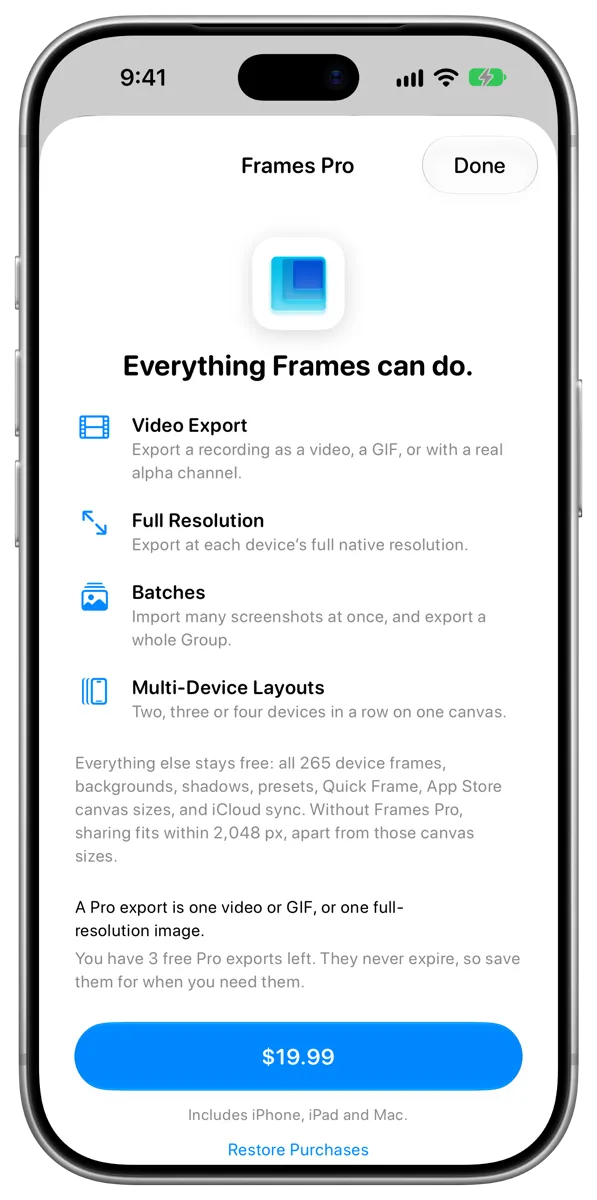
#What Frames Pro adds
- Video export: Export a screen recording as a video, a GIF, or a video with real transparency. See Export as a video or GIF.
- Full resolution: Export at each device’s full native resolution, instead of up to 2048 pixels. See Export size and resolution.
- Batches: Import many screenshots at once, and export a whole Group. See Import many at once and Export a Group.
- Multi-device layouts: Two, three or four devices in a row on one canvas. See Show several devices in a row.
#What stays free
Everything else in Frames is free, with no limits:
- All 265 device frames and their finishes
- Every background, including gradients, wallpapers and album artwork
- Shadows, corner rounding, zoom and position
- Canvas shapes and Apple’s exact App Store sizes, always exported at full size
- Quick Frame, the share sheet, Control Center controls and the Frame Image shortcut
- Presets and Groups
- iCloud sync
- Importing screen recordings and playing them back in a device frame
#Try it first
Before you buy, you get 3 free Pro exports to try video export or full resolution. See Your free Pro exports.